Everyone knows the generic AI burnout.
Your team finds a bug in your product code, they head to chatbot, upload files, and copy code back, only to realize the AI has already forgotten what the team has been doing.
This was the manual era where your tools were disconnected from your project code. But this picture is changing: AI is finally starting to think for itself, acting as a true human collaborator.
Meet Claude Code, who lives like a human in the terminal
Claude code is the agentic harness that turns a standard language model into a true coding assistant that lives where engineers work, that is, in the terminal.
It is not like the browser-based version where you are constantly uploading files or pasting snippets because it sees your entire project folder automatically. It works as a command-line app for Mac and Windows, having permission to do everything just as a human engineer could do.
There are no limitations if you are using a raw terminal or a shell inside an IDE like JetBrains or VS Code; it gives you a workspace where context is quick and actions are direct. For any modern custom software development company, this shift is really important. It changes the AI from a remote “question-answer” into a local worker who can run shell commands, edit files, and manage Git states autonomously.
Do not see it as a tool for writing code; it is an all-purpose terminal companion. It can help you research complex technical topics, generate documentation, or even run your build and test suites to verify your own work. The direct access to the project files and system’s terminal lets it remove the friction that was faced in the chatbot-based or manual era of AI.
How Does Claude Code Actually Work? The internal logic in thinking
Once you set the project rules and connect your tools, the assistant transitions from a passive listener to an active worker. For a modern custom software development company, this reliability is what matters most because the tool is now not just guessing the solution but following a disciplined cycle to prove its work is correct.
- Step 1: Claude starts by searching local files to understand the architecture of the codebase so that it has full context before touching a single line of code.
- Step 2: As it learns, the model chooses the best strategy; for routine tasks, it uses Claude 3.5 Sonnet, and for complex architectural shifts, it uses Claude 3 Opus, which is used for deeper reasoning.
- Step 3: Claude uses digital hands to perform replacements with the edit tool or create new files completely and it can also start local development servers.
- Step 4: It runs test suites or build scripts to verify the changes actually worked or not.
- Step 5: Once the task is finished, the agent can summarize what it learned into the MEMORY.md file and prepare for the next projects.
The three real-world use case pillars of Claude Code
Coming back to our builder reference, a builder (in the old manual era) would measure every corner of a house but with Claude Code, those measurements can take place instantly and across the entire construction site. This tool changes the terminal from a static text box into a command center for productivity. You see your entire local directory automatically, which removes the need for constant file uploads or pasting snippets into a browser. It results in a high-level strategy focus while the agent handles repetitive chores.
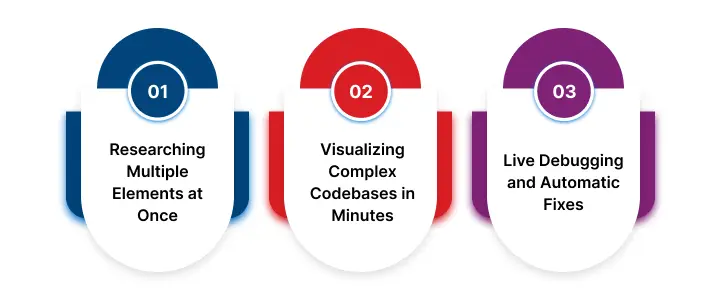
Researching Multiple Elements at Once
One of the most notable use cases is parallel research. Where traditional AI handles one task at a time, Claude Code can launch multiple agents to conduct competitive analysis on 15 different elements at the same time.
This shift from sequential work to parallel execution is the core part of how Claude Code works (we will discuss it later) to save professional teams hours of manual labor. Each agent works in its context window and generates its own markdown file to create a complete, organized research folder in minutes.
Visualizing Complex Codebases in Minutes
For engineers who enter into a new project, the ramp-up period is mostly measured in weeks of reading messy documentation. Claude Code shortens this with deep codebase visualization.
You can ask the assistant to investigate sprawling services and create ASCII diagrams that map out multi-repo data flows and architectures.
Even if you make dozens of pull requests from Slack threads into a single source of truth, it has the capability to turn a chaotic project into a clear, visual map that any team member can understand.
Live Debugging and Automatic Fixes
More than documentation, the tool excels at live debugging using a dedicated Chrome extension. It can open:
- your local web app
- read console errors and DOM states in real time
- write the given code fix to resolve the bug without you ever leaving the terminal.
No, you can use it anyway, whether to automate repetitive form filling or perform an automatic security review of a new feature. It will create multiple scenarios itself; that was something a chatbot was never able to do.
Claude Code Tools and Features that power Real Action
To move from a passive babysitter to a proactive builder, an assistant should be more than just a large vocabulary. It needs digital hands that can work. Even if you go for an AI development consulting partner, they will state that the focus has shifted from models that merely talk to an agency to the ones that can actually execute.
Claude Code achieves this as it lives inside an agentic harness, which is a utility belt of a lot of tools that are designed for software engineering. These tools (you can even say these features) are what allow the model to step out of the browser and start managing your actual project files and system operation automatically.
Finding and modifying your local files
The most fundamental features of Claude Code are its file and search operations. It does not just guess where the code is; it uses tools like:
- Grep to search file contents with regex
- Glob to find files with given patterns across your directory.
Once it finds the correct location, it can read the file and use the Edit tool to perform exact string replacements. This is not a generic suggestion; it is kind of a surgical strike on given lines of code that keep the project structure and logic intact.
Running Commands and Verifying the Results
Claude hands extend directly into your terminal and the wider Internet. Using the Bash and PowerShell tools, it can run
- shell commands
- start local servers
- execute test suites to verify its own work
If it faces an unfamiliar error or a missing library, it uses WebSearch to get documentation or error solutions from the web.
This execute and verify loop lets it troubleshoot problems in real time, bringing local execution with global knowledge.
Exploring codebases with built-in intelligence
For complex projects, the assistant makes use of language server protocols or LSP, to get IDE-level intelligence. With a connection to the servers, Claude can jump to symbol definitions, find all references of a function and see type errors or warnings immediately after an edit.
It does not have to read every file in the folder to find dependencies with the same accuracy as a senior human engineer.
Using an AI-powered agentic coding tool for custom software development
Even with a powerful toolkit, every construction project has its own unique blueprints and local rules that a generic builder might not know. To settle this gap, you can partner with a custom software development company that will use or fit Claude’s code as per your requirement.
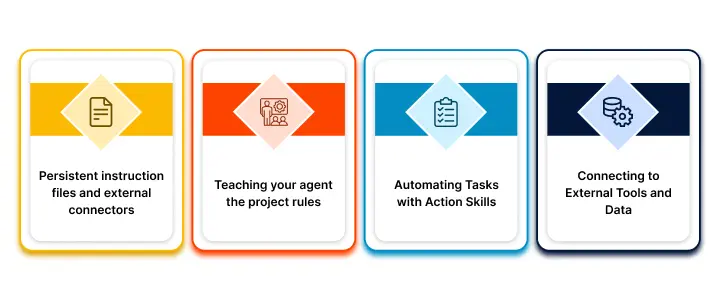
Persistent instruction files and external connectors
With the help of persistent instruction files and external connectors, you can change a standard assistant into a highly specialized AI-powered agentic coding tool that remembers your preferences across every session.
Teaching your agent the project rules
The most immediate way to customize the experience is using a file called CLAUDE.md. This is where you store project-specific conventions, such as always using pnpm instead of npm or running a lint check before every commit. Because this file is loaded automatically at the start of every session, the assistant never forgets your team’s unique coding style.
If you want a compliment, there is an auto-memory feature that saves learned patterns and your preferences into a MEMORY.md file to make sure that the agent gets smarter as you interact more with it.
Automating Tasks with Action Skills
When you find yourself typing the same complex prompt for the third time, you can register that workflow as a skill.
Skills are markdown files that contain knowledge and instructions that activate with simple flash commands like /deploy and it is not like text snippets. These skills let you automate a big chunk of processes like running complex deployment checklists or generating proper API documentation.
You can build a library of automated actions that can be reused in different branches and repositories as per your business requirements.
Connecting to External Tools and Data
To give your assistant eyes outside of your local terminal, you can use the Model context protocol or MCP. This protocol connects Claude to external services like your Jira tickets, Slack channels, or production databases without any manual copying and pasting.
For an even faster setup, you can install plugins from prebuilt marketplaces. These plugins package together skills, subagents, and MCP servers that let you instantly add capabilities like GitHub integration, automatic security reviews, or design verification to your project.
Building your custom system with Claude: Partner with NetSet
That is completely okay if you find the Claude Code complex because it was never meant to be for mainstream founders who have other important things to do. It is for the ones who actually can put time into engineering their product a little fast with AI working as their assistant.
And, if you belong to the first group, you can book a call with our AI development consulting team, who will understand your requirements and your custom product roadmap mapped with Claude code for rapid development.

FAQs
Is it safe to let an agent run commands on my machine?
Yes, Claude Code consists of two main safety mechanisms that are local checkpoints and permission modes. Every file edit is reversible with the Esc key, and you can configure the agent to ask for permission before running any shell command or performing a git commit.
How is this different from the Claude I use in my browser?
The browser version requires manual file uploads and loses context between chats. Claude Code lives in your terminal and sees your entire local project folder automatically. It also offers complete data portability, as all your instructions and memories are stored locally in simple markdown files.
Do I need to be a senior engineer to use the terminal?
It depends because for simple projects Claude Code is really about learning a few simple commands but for a complex project, you do require some understanding.
Can Claude Code help with web apps I’m currently building?
Yes, using a dedicated Chrome extension. Claude can open your local web app, read console errors or DOM states in real-time, and then write the given code fix to resolve the bug while you stay focused in your terminal.
How does it handle very large projects that fill the context window?
Claude Code manages context automatically using a process called “compaction.” As you reach the limit, it clears old tool outputs and summarizes the conversation to keep things fresh. You can also use CLAUDE.md to store persistent rules that are never forgotten no matter how long the session lasts.